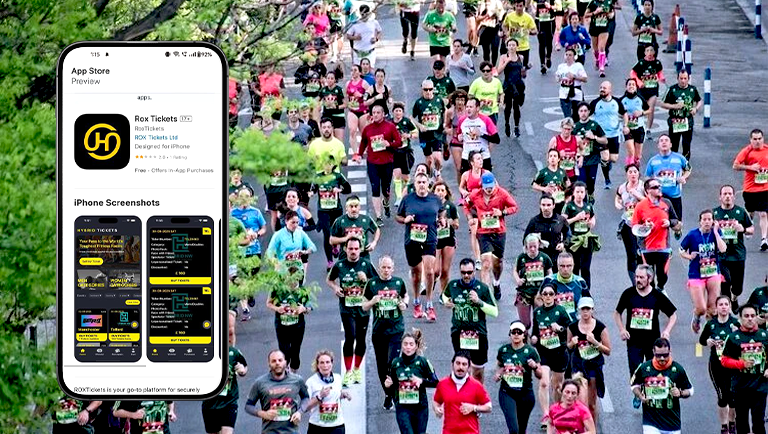
Hyrox Powers Fitness Events with Custom Mobile App and Backend Solution
Hyrox partnered with us to create a secure mobile app and web-based backend that automates global race ticket resales, replacing their manual, fraud-prone process. This solution streamlines operations, enhances scalability, and improves the athlete experience.
Industry
Worldwide Fitness Competition
Technology
React Native, Laravel, PHP
Services
UI/UX Design & Prototyping, Mobile App Development (iOS and Android), Custom Web Dashboard Development
Project Overview
Hyrox is an innovative global fitness platform committed to redefining the world of endurance sports. With a vision to create a connected fitness community focused on growth and achievement, Hyrox previously operated its event ticket reselling manually—a method becoming increasingly unsustainable with their rapid global growth.
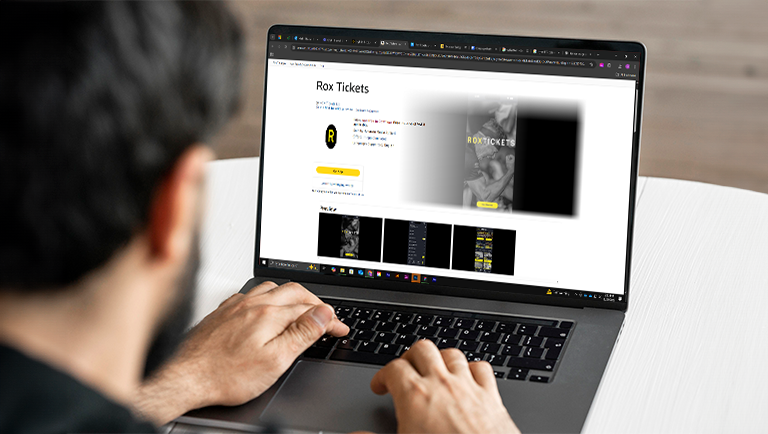
The existing website, roxtickets.app, catered only to athletes and lacked a system to efficiently manage ticket resale, leading to scalability and fraud issues. To address this, Hyrox partnered with us to develop a dedicated mobile application for customers and a web-based backend system for administrators. This new platform would automate the resale of tickets, enhance security, and improve operational efficiency for various race events globally.
Project Objectives
- For Customers:
- Create a seamless mobile application that allows users to browse, wishlist, and purchase race tickets by event, date, city, and category. Notifications should alert users when tickets are listed or back in stock.
- For Admin:
- Deliver a robust backend that supports user management (Buyers & Sellers), event and ticket management, manual transaction logging, and a scalable notification system. This system would eliminate the current manual, error-prone resale process.
- Broader Business Goals:
- Enable Hyrox to scale their operations globally, reduce fraudulent activity (e.g., duplicate tickets), and enhance the user experience for both ticket buyers and sellers.
Project Execution
1. Design and Discovery Process
- Initiated the ideation phase by understanding Hyrox’s current constraints and business challenges.
- Conducted stakeholder interviews to gather in-depth feature and user role requirements.
- Delivered:
- Wireframes for key app pages: Welcome screen, Registration, Home, Collection, My Account (Buyer/Seller), Event Detail pages and Ticket Details pages.
- Style guides defining typography, color schemes (aligned with Rox Tickets app), and branding.
- Photoshop-based UI designs developed in iterative batches.
- Created an interactive prototype for stakeholder reviews and real-time feedback.
Benefits of the prototype:
- Validated workflows and screen designs
- Enabled refinements before development
- Reduced rework and accelerated sprint planning
2. Development and Customization
- Agile Sprint Planning:
- Each sprint lasted 3 weeks with 2–4 team members.
- Post-sprint review meetings were conducted to demonstrate progress and collect feedback.
- Mobile App (Frontend):
- Registration & Sign-Up: Via Apple ID, Google ID, and Standard Email/Password login
- Home & Collection Screens: Filters for Race Division (Men, Women, Mixed), Event Date, City, and more
- Wishlist Functionality: Personalized event tracking by category
- Product Detail Page: Detailed event info with CTAs (Buy Tickets, View More Events)
- My Account:
- Buyer View: Profile management, ticket details, wishlist, notifications, help & support
- Seller View: Upload ticket links, manage event details, and edit listings
- Admin Dashboard (Backend):
- User Management: Create/edit/delete users, assign roles, send ticket links, and manually log transactions
- Event & Ticket Management: Add/edit events, verify uploaded ticket links, adjust inventory, pricing and discount coupons
- Manual Payout Support: Admin can handle manual payouts via Stripe to sellers when automatic payouts are not possible.
- Notification Engine: Customizable notification dispatch system for both buyers and sellers
- Help & Support Module: Track and respond to user queries
- Notable Customizations:
- Collection screens with two-way event-category navigation
- Buyers can resell their own purchased tickets.
3. Testing and Deployment
- QA Phases:
- Unit Testing: Validated each function/module
- Widget Testing: Verified all UI components and states
- Integration Testing: Ensured end-to-end flows worked seamlessly across modules
- Regular bug tracking and fixes were implemented within each sprint.
- A formal demonstration was conducted before deployment to ensure full alignment with the functional specification.
4. Launch
- Launched the cross-platform mobile application for buyers and sellers.
- Deployed the Node.js-based web admin dashboard with full user and event management capabilities.
- Enabled scalable architecture to handle growing user and event volume.
- Provided post-launch support for:
- UAT (User Acceptance Testing)
- Minor enhancements
- Feedback implementation for additional feature suggestions
Results & Feedback
- Scalability Achieved:
The app and backend support high-volume event listings and growing user numbers without operational bottlenecks. - Fraud Mitigation:
Admin ticket verification and approval reduced duplicate ticket resale and scams. - Efficiency Boost:
Manual processes replaced with real-time inventory tracking, user self-service features, and automated notifications. - User Experience Improvement:
With intuitive filters, real-time notifications, and a brand-aligned interface, users now enjoy a seamless ticket browsing and purchasing experience. - Operational Visibility:
Admins can now track tickets, manage users, and update event details from a centralized dashboard—significantly reducing coordination overhead.