
Moving a website from Concrete5 to WordPress can look simple at first. You have pages, images, menus, forms, users, and other website content that needs to move from one CMS to another.
But the real job can be much bigger.
A Concrete5 to WordPress Migration may involve custom page types, templates, blocks, forms, metadata, files, URLs, integrations, tracking codes, and years of SEO value. If these items are not handled correctly, a website that worked well before migration can suddenly have broken pages, missing content, bad redirects, or search traffic problems.
Concrete CMS itself explains that moving a Concrete5 website involves both the database and the site’s files. Its documentation describes copying the database and Concrete5 root directory as important parts of moving a site.
Moving to WordPress can make sense for businesses that want a flexible CMS with a large plugin and theme ecosystem. WordPress says it powers more than 43% of the web and supports everything from simple websites to enterprise websites and applications.
The key is choosing a migration partner that understands more than WordPress design.
Below are 10 Concrete5 to WordPress migration companies to consider in 2026, along with the capabilities you should check before choosing one.
Best Concrete5 to WordPress Migration Companies in 2026
The companies covered in this guide are:
- EbizON Digital
- CMSTOWP
- PrimeForge
- Postgrip Web
- Parabellum
- Stuvio
- Aripra Tech
- Grey Ants Creative
- DigiStack Marketing
- Fission Fox
The first two are directly relevant to the migration requirement through dedicated Concrete5 to WordPress service pages. For the other companies, businesses should verify direct Concrete5 migration experience, recent WordPress projects, migration methodology, and post-launch support before hiring.
What Should a Concrete5 to WordPress Migration Company Handle?
A good migration should not start by copying pages. It should start with an audit.
Your migration team needs to understand what currently exists in Concrete5, what should move to WordPress, what needs to be rebuilt, and what can be removed.
A complete migration plan may cover:
- Pages and content
- Images and documents
- Page titles and metadata
- Concrete5 blocks
- Custom page types
- Forms
- Users
- Navigation and menus
- Internal links
- Existing URLs
- 301 redirects
- Themes and templates
- Custom functionality
- Analytics and tracking
- Third-party integrations
- SEO settings
URL planning is especially important. Google’s official guidance for moving a website when URLs change recommends preparing the new site, testing it, mapping old URLs to their new locations, and setting up redirects.
That is why choosing the right migration company matters.
1. EbizON Digital
Best for End-to-End Concrete5 to WordPress Migration With Custom Development Support
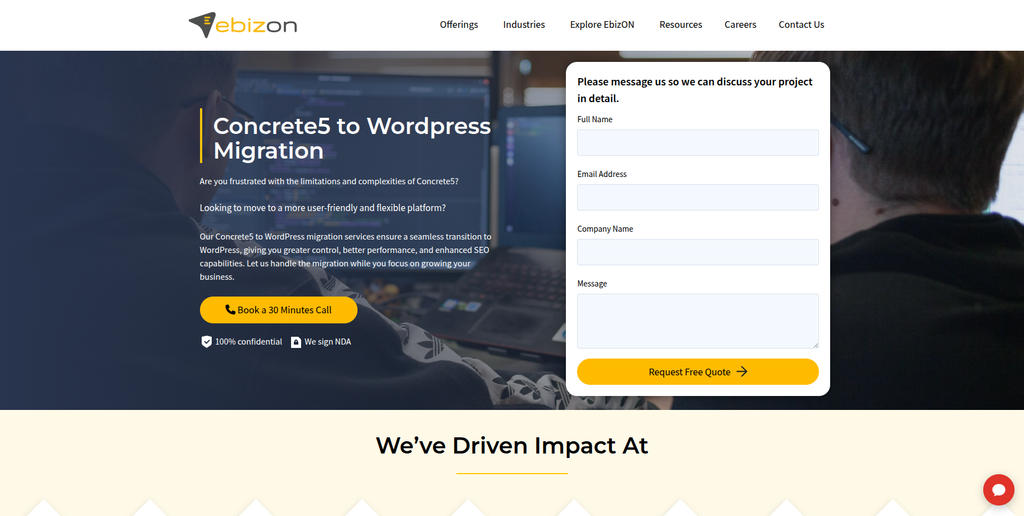
EbizON Digital is a strong option for businesses that want more than a simple content transfer. A Concrete5 website may contain custom layouts, forms, integrations, page types, or business features that need to work properly after the move. EbizON Digital can be considered when migration, WordPress development, redesign, and technical improvements need to work together. This approach is useful for businesses that want the new WordPress site to be easier to manage and ready for future growth. The project scope should be agreed after reviewing the existing Concrete5 website and its custom functionality.
- CMS migration planning: Review pages, files, URLs, functionality, and content before migration.
- Custom WordPress development: Useful when Concrete5 functionality needs to be recreated in WordPress.
- SEO migration support: Plan URL mapping, redirects, metadata, and important organic landing pages.
- Integration support: Suitable for websites connected with forms, analytics, APIs, CRM tools, or other systems.
- Best suited for: Businesses needing a complete Concrete5 to WordPress migration with custom development.
Before starting development, businesses can review EbizON Digital’s end-to-end Concrete5 to WordPress migration service for business websites to understand the migration approach.
2. CMSTOWP
Best for a Structured Concrete5 Website to WordPress CMS Migration
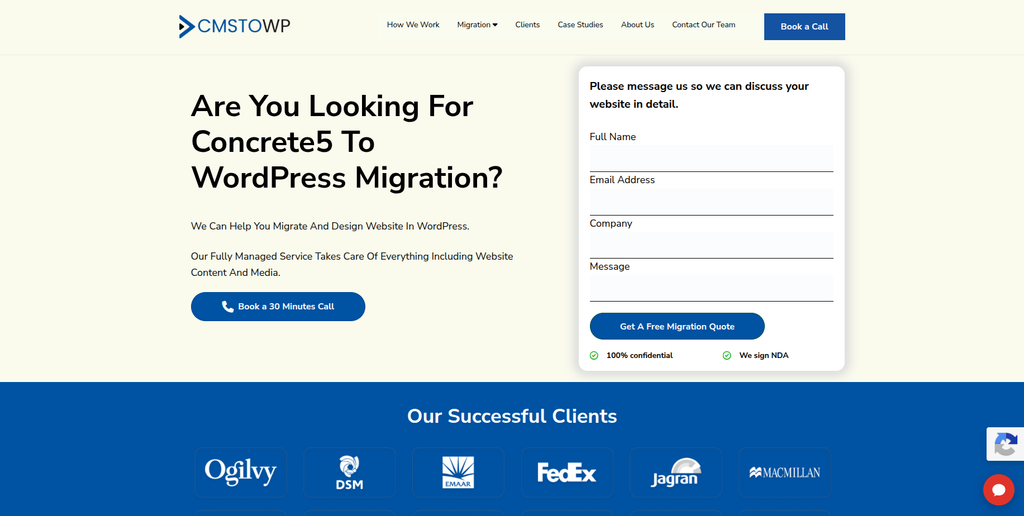
CMSTOWP is focused on moving websites from existing content management systems to WordPress. That makes it particularly relevant when migration itself is the main project. A structured migration should identify pages, files, images, metadata, URLs, forms, and other website elements before anything is transferred. It should also decide which Concrete5 features can be recreated with WordPress core, plugins, or custom development. Businesses should define the migration scope, testing process, redirect requirements, and post-launch support before the project starts.
- Migration-focused process: Relevant for businesses specifically replacing an existing CMS with WordPress.
- Content transfer planning: Pages, images, documents, and important website content can be mapped before migration.
- URL and SEO planning: Existing URLs and valuable search landing pages should be protected where possible.
- WordPress setup: The new CMS can be structured around easier publishing and website management.
- Best suited for: Businesses looking for a focused Concrete5 to WordPress website migration partner.
A detailed migration should also account for how Concrete CMS stores and manages website content. The official Concrete CMS user documentation provides useful background on the platform’s content-management structure.
For businesses ready to plan the move, CMSTOWP provides a structured Concrete5 to WordPress migration solution for content-heavy websites.
3. PrimeForge
A WordPress Development Option to Evaluate for Concrete5 CMS Migration
PrimeForge is one of the companies to evaluate when creating a shortlist for a Concrete5 migration project. The most important step is to confirm direct experience with WordPress migrations and websites similar in size and complexity to your own. A Concrete5 website can contain far more than visible page copy, so technical discovery should happen before a final migration estimate is accepted. Ask how custom blocks, page types, forms, templates, URLs, and integrations would be handled. Direct Concrete5 migration examples should be requested before making a final decision.
- WordPress capability: Confirm recent WordPress development and migration projects.
- Migration discovery: Ask how the current Concrete5 structure would be audited before work begins.
- Custom functionality: Verify how non-standard Concrete5 features would be recreated.
- QA process: Look for staging, content checks, responsive testing, forms testing, and redirect validation.
- Best suited for: Businesses prepared to validate Concrete5 migration experience before selecting a WordPress partner.
4. Postgrip Web
A Web Development Partner to Assess for Content and WordPress Migration
Postgrip Web can be evaluated by businesses looking for development support during a move from Concrete5 to WordPress. Before selecting any provider, it is important to separate normal WordPress website development from actual CMS migration experience. Migration requires careful content mapping, URL planning, data handling, and testing of old and new functionality. Ask the team to explain how it would audit the existing Concrete5 installation and create the new WordPress structure. Relevant case studies should be reviewed before the project begins.
- Website development: Check recent WordPress projects that match your website requirements.
- Content migration: Ask how pages, images, files, and metadata would be transferred.
- Feature mapping: Confirm how Concrete5 functionality would translate into WordPress.
- Testing: Look for a documented staging and pre-launch QA process.
- Best suited for: Businesses comparing WordPress development partners for a structured Concrete5 migration.
5. Parabellum
A Digital Agency Option for Concrete5 Migration With Website Improvements
Parabellum is another company from the requested shortlist that businesses can assess for a CMS migration project. Moving from Concrete5 can also be a good time to review website design, page structure, navigation, and user journeys. However, redesign work should not distract from the core migration requirements. The company should be able to explain how existing content and URLs will be protected while the new WordPress experience is built. Businesses should request relevant WordPress migration examples and confirm direct Concrete5 experience.
- Website modernization: Consider when migration is connected with a broader website refresh.
- Content structure: Ask how existing content will map into the new WordPress architecture.
- User experience: Review opportunities to improve navigation and important page journeys.
- Migration experience: Verify direct CMS migration and Concrete5 knowledge before hiring.
- Best suited for: Businesses combining a Concrete5 to WordPress move with website modernization.
6. Stuvio
Best for WordPress CMS Development With Performance and Scalability Requirements
Stuvio publicly offers CMS development covering WordPress, Drupal, and headless CMS solutions. Its CMS development material also discusses performance, security, testing, content management, analytics, deployment, and ongoing maintenance. This broader CMS background can be useful when a Concrete5 migration involves more than transferring basic pages. Businesses should still verify direct Concrete5 migration experience and ask for projects that match their website size and technical requirements. A discovery phase should establish which existing features can move directly and which need to be rebuilt.
- WordPress development: Publicly lists WordPress among its CMS development capabilities.
- CMS experience: Relevant when the project requires understanding more than one content platform.
- Performance planning: Useful when the new website also needs speed and Core Web Vitals improvements.
- Ongoing maintenance: Worth considering when post-launch CMS support is required.
- Best suited for: Businesses planning a scalable Concrete5 to WordPress CMS migration with ongoing development.
7. Aripra Tech
A Full-Stack Development Option for Custom Concrete5 to WordPress Projects
Aripra Tech publicly lists WordPress and PHP within its development technology stack, along with frontend, backend, cloud, and application technologies. That broader technical background may be useful when an existing Concrete5 website includes functionality outside a normal CMS setup. Businesses should ask specifically about CMS migrations rather than assuming general development experience equals Concrete5 migration expertise. Custom modules, integrations, forms, and data flows should be documented during discovery. Direct Concrete5 examples should be verified before a final selection.
- WordPress and PHP: Both appear within the company’s publicly listed technology capabilities.
- Full-stack development: Potentially useful for websites containing custom technical requirements.
- Integration planning: Worth evaluating when WordPress must connect with other business systems.
- Experience to verify: Ask for direct Concrete5 and CMS migration examples.
- Best suited for: Businesses with custom technical requirements during a Concrete5 to WordPress migration.
8. Grey Ants Creative
A Creative Development Option for Concrete5 Migration and Website Redesign
Grey Ants Creative can be evaluated when the move to WordPress is also being used to rethink the website’s visual experience. Migration projects often uncover old page structures, outdated layouts, or content that no longer supports current business goals. This creates an opportunity to improve the new site while moving the important content safely. However, businesses should make sure migration and SEO requirements remain separate deliverables within the project. Ask for recent WordPress work, migration examples, and a clear explanation of how existing Concrete5 URLs and content will be handled.
- Creative website direction: Relevant when visual improvement is part of the migration goal.
- Content presentation: Consider opportunities to improve how important pages communicate information.
- Responsive experience: Confirm testing across common desktop and mobile screen sizes.
- Migration expertise: Direct Concrete5 and WordPress migration experience should be verified.
- Best suited for: Brands combining Concrete5 website migration with a creative WordPress redesign.
9. DigiStack Marketing
A WordPress and SEO Option for Migration Projects With Marketing Requirements

DigiStack Marketing publicly offers website development and SEO services, and its website development material specifically references custom WordPress websites. Its SEO offering includes on-page elements such as metadata, headers, alt text, internal links, keyword strategy, and content improvements. This mix may be relevant when migration and ongoing marketing are both part of the project. However, businesses should separately verify technical CMS migration experience, especially for Concrete5. Ask how redirects, existing rankings, page content, analytics, and technical functionality would be handled during the move.
- WordPress development: Publicly offers custom WordPress website development.
- SEO services: Useful when organic visibility is an important migration consideration.
- Content support: Can be relevant if existing pages need improvement during migration.
- Migration experience: Direct Concrete5 expertise should be confirmed before starting.
- Best suited for: Businesses wanting WordPress migration support alongside SEO and digital marketing services.
10. Fission Fox
A Development Partner to Evaluate for Custom WordPress Migration Requirements
Fission Fox completes the requested list of companies to consider for a Concrete5 to WordPress project. As with the other providers where direct Concrete5 experience is not clearly established here, businesses should use technical discovery to test the fit. Start by sharing the current sitemap, important templates, integrations, forms, custom functions, and traffic-driving pages. Then ask for a clear plan showing what will be migrated, rebuilt, replaced, or removed. Relevant WordPress and CMS migration references should be checked before signing a project agreement.
- Technical discovery: The current website should be reviewed before a final migration estimate.
- WordPress requirements: Confirm the proposed CMS structure, plugins, theme, and custom development.
- Content mapping: Ask how existing Concrete5 pages and files would map to WordPress.
- Experience to verify: Request relevant CMS migration and Concrete5 project examples.
- Best suited for: Businesses evaluating a custom WordPress development partner for Concrete5 migration.
Why Move From Concrete5 to WordPress?
Concrete5, now known as Concrete CMS, is still an active content management system. Moving away from it should therefore be a business decision, not an assumption that the platform no longer exists.
For some businesses, WordPress may simply fit their future plans better.
WordPress provides a flexible content platform with themes, plugins, user management, media management, custom content types, and APIs. Its official features page also highlights the ability to extend websites using thousands of plugins.
Businesses may consider migration when they want:
- Easier access to WordPress developers
- A larger plugin ecosystem
- More theme choices
- Flexible content publishing
- Custom post types
- Easier marketing integrations
- Greater control over landing pages
- WooCommerce integration
- More options for SEO tooling
- A CMS that fits their current internal workflow
The decision should still begin with a requirements review. If your existing Concrete5 website works well and meets future business needs, migration may not be necessary.
What Data Should Be Moved From Concrete5 to WordPress?
The migration scope will be different for every website.
Start with a full inventory of your current Concrete5 installation. The official Concrete CMS documentation shows that a Concrete site includes both database information and files, which is one reason a migration should start with a proper backup and technical review.
Your migration inventory may include:
- Standard website pages
- Blog or news content
- Images
- PDFs and downloads
- Page titles
- Meta descriptions
- Headings
- Custom page types
- Concrete5 blocks
- Forms and submissions
- User accounts
- Menus
- Internal links
- Custom code
- Integrations
- Analytics tags
- Structured data
- Existing URLs
Do not assume everything should be copied.
Old, duplicate, thin, or unused content may be better removed or consolidated. Migration is a useful time to clean the website, but important pages should not disappear without reviewing their traffic, backlinks, conversions, and business value.
How to Protect SEO During Concrete5 to WordPress Migration
SEO protection should begin before the WordPress website is launched.
Start by crawling the existing Concrete5 website and creating a list of indexable URLs. Identify pages that receive traffic, rank for useful keywords, attract backlinks, or generate leads.
Then map each important old URL to the correct WordPress URL.
Google recommends preparing and testing the new site, creating an old-to-new URL mapping, and configuring redirects as part of a URL-changing migration.
Your SEO migration checklist should include:
- Old URL inventory
- New URL mapping
- 301 redirects
- Page titles
- Meta descriptions
- H1 headings
- Canonical tags
- Internal links
- Image alt text
- Structured data
- XML sitemap
- Robots.txt
- Indexability
- Analytics
- Search Console
- Broken links
- 404 errors
Try not to change everything simply because you can.
If a high-performing URL can stay the same, keeping it may reduce unnecessary migration work. When URLs need to change, map them to the closest useful new destination instead of sending every old page to the homepage.
How to Choose a Concrete5 to WordPress Migration Company
1. Ask About Direct Concrete5 Experience
Start with the source platform.
Ask whether the team has worked with Concrete5 or Concrete CMS before. If yes, ask what versions they have handled and what kinds of websites they migrated.
A team that understands the source CMS will be better prepared to identify custom blocks, templates, page types, files, and database structures that may require special handling.
2. Review Their WordPress Development Skills
Migration is only half the project.
The destination site also needs to work well. Your partner should understand WordPress themes, plugins, custom post types, forms, user roles, performance, security, and any custom development your website requires.
WordPress supports custom content types, themes, plugins, APIs, and other developer features that can be used to recreate or improve functionality from the old CMS.
3. Ask for a Content Migration Plan
Do not accept “we will migrate all content” as the complete plan.
Ask exactly what will move.
The proposal should explain how pages, images, documents, metadata, menus, forms, users, and custom content will be handled. It should also explain what requires manual work.
4. Make SEO Migration Part of the Scope
SEO should not be added at the end.
Ask the company to include crawling, URL mapping, redirects, metadata checks, internal-link updates, sitemap creation, and post-launch monitoring in the migration scope.
If SEO matters to your business, ask who is responsible for each task.
5. Ask About Staging and Testing
Your old website should not disappear while the new one is still being built.
The WordPress website should normally be developed and tested in a staging environment. Before launch, check important pages, forms, menus, links, integrations, mobile layouts, tracking, and redirects.
6. Check Post-Launch Support
Migration day is not the end.
After launch, watch for broken URLs, missing files, form problems, tracking errors, indexing issues, layout problems, and unexpected differences between the old and new websites.
Agree on a post-launch support period before signing the project.
Concrete5 to WordPress Migration Checklist
Before approving the new WordPress website, check:
- All important pages migrated
- Images and documents working
- Forms submitting correctly
- Navigation working
- Internal links updated
- Custom functionality tested
- Old URLs mapped
- 301 redirects working
- Metadata transferred
- Canonical tags checked
- XML sitemap created
- Robots.txt reviewed
- Analytics working
- Search Console checked
- Mobile layouts tested
- Page speed reviewed
- 404 errors checked
- Backup completed
- Post-launch monitoring active
A migration checklist makes it much easier to catch small problems before they become large ones.
FAQs About Concrete5 to WordPress Migration
1. What is Concrete5 to WordPress Migration?
Concrete5 to WordPress Migration is the process of moving a website from Concrete5, now called Concrete CMS, to WordPress. The process can include pages, images, files, metadata, forms, users, URLs, menus, custom functionality, and integrations.
2. Can I migrate a Concrete5 website to WordPress without losing content?
Yes, much of the content can usually be moved, but the exact process depends on how the Concrete5 website was built. Standard pages may be easier to transfer, while custom blocks, page types, templates, and functionality may require special mapping or redevelopment.
3. Will Concrete5 to WordPress migration affect SEO?
It can if URLs, metadata, internal links, redirects, or indexability are handled incorrectly. A good migration plan should identify important existing pages and map them carefully to their WordPress destinations.
4. Do I need 301 redirects when moving from Concrete5 to WordPress?
You need redirects when important existing URLs change. Google’s site-move guidance recommends mapping old URLs to their new locations and setting up server-side redirects when URLs change.
5. Can Concrete5 custom blocks be moved directly to WordPress?
Not always. Concrete5 blocks and WordPress use different systems. Some content may be mapped into WordPress blocks or custom post types, while custom functionality may need to be rebuilt using a plugin or custom development.
6. How long does a Concrete5 to WordPress migration take?
The timeline depends on website size, page count, custom blocks, templates, integrations, forms, design changes, SEO requirements, and custom development. A small brochure site will normally require less work than a large custom business website.
7. Should I redesign my website during the migration?
You can. Migration can be a good time to improve an old design, but doing a redesign and CMS migration together adds more changes to the project. Make sure content migration, SEO, and functionality are not overlooked while focusing on design.
8. Can WordPress handle large business websites?
Yes. WordPress says the platform is used for everything from simple websites and blogs to complex portals, enterprise websites, and applications. The final performance and scalability of a website still depend on its architecture, hosting, code, plugins, caching, and maintenance.
9. What should I test after moving Concrete5 to WordPress?
Check important pages, images, documents, menus, forms, search, custom functionality, mobile layouts, analytics, redirects, metadata, internal links, sitemap files, and 404 errors. You should also monitor Google Search Console after launch.
10. How should I choose a Concrete5 to WordPress migration company?
Compare companies based on relevant CMS migration experience, WordPress skills, data and content planning, SEO migration processes, custom development capabilities, testing, communication, and post-launch support. Ask for projects similar to your website and get a written migration scope before work begins.
Conclusion
Moving from Concrete5 to WordPress can give a business access to a flexible CMS, a large plugin ecosystem, many theme options, and a broad development community. WordPress currently says it powers more than 43% of the web, but popularity alone is not a reason to migrate.
The migration should solve a real business need.
A good Concrete5 to WordPress Migration protects the parts of the existing website that already work while improving the areas that hold the business back. Content, files, URLs, SEO value, forms, integrations, and custom features all need to be considered.
When comparing the 10 companies above, focus on documented experience that matches your website. Ask each shortlisted team to explain its discovery process, migration plan, URL strategy, testing approach, launch process, and post-launch support.
The safest migration is not simply the one that moves the most content. It is the one that leaves you with a WordPress website that works properly for visitors, search engines, and the people who need to manage it every day.