
Grav is a fast and flexible CMS. It is different from many traditional content management systems because it is file-based. Grav stores content using files, including Markdown and YAML, rather than depending on a traditional content database for normal pages. Grav’s official documentation explains how its file-based CMS structure works.
That simple structure can work very well. But as a website grows, a business may need an easier editing experience, a bigger plugin ecosystem, more marketing tools, simpler publishing, or a platform that more people already know how to manage.
That is where Grav to WordPress Migration becomes useful.
Moving from Grav to WordPress is not just about copying text from one website to another. The two platforms organize content differently. Your pages, Markdown content, images, metadata, menus, templates, URLs, forms, integrations, and custom functions all need to be reviewed.
A poor migration can create missing pages, broken images, design problems, lost metadata, bad redirects, and lower search visibility.
A planned migration gives you a much better chance of keeping the things that already work while building a WordPress website that is easier to manage.
Below are the Top 10 Grav to WordPress Migration Companies in 2026 worth considering for your project.
Best Grav to WordPress Migration Companies in 2026
The companies included in this guide are:
- EbizON Digital
- CMSTOWP
- Cali Creatives
- Veritas Digital Technologies
- Coder Mehedi
- DevBob
- Safex Solutions
- Metamorfasis
- Bytelog Solutions
- Webteam4u
EbizON Digital and CMSTOWP are listed first because they have dedicated Grav to WordPress migration offerings. For the other companies, businesses should confirm direct Grav migration experience, project scope, and relevant case studies before hiring.
Why Move From Grav to WordPress?
Grav and WordPress take different approaches to content management.
Grav describes itself as a fast, simple, flexible, file-based web platform. Its content structure can use Markdown and YAML, and its folder structure plays an important role because standard Grav pages do not depend on a traditional content database.
WordPress takes a more database-driven CMS approach.
For many business teams, WordPress can make daily website management easier because editors can work through a familiar admin area without needing to understand how Grav folders, Markdown files, YAML frontmatter, or templates are structured.
A business may consider moving from Grav to WordPress when it wants:
- Easier content editing
- More plugin choices
- Flexible page building
- Better marketing integrations
- Easier blog management
- More options for forms and landing pages
- A larger developer ecosystem
- Easier access for non-technical teams
- More control over future website growth
- A CMS that new team members may already know
Migration is not automatically the right choice for every Grav website. If your current site is fast, simple, secure, and easy for your team to manage, there may be no urgent reason to move.
The decision should solve a business problem.
What Makes Grav to WordPress Migration Different?
Grav does not work exactly like WordPress.
This matters during migration.
A developer cannot simply export a normal Grav database and import everything into WordPress. Grav is file-based, and its official documentation explains that the platform uses Markdown for content and YAML for configuration.
That means a migration team may need to inspect:
- Markdown content files
- YAML frontmatter
- Page folders
- Images and media
- Grav themes
- Twig templates
- Plugins
- Menus
- Forms
- Taxonomies
- Metadata
- Custom functionality
- Existing URL structures
The team then needs to decide how each item should work inside WordPress.
WordPress does have official tools for importing content, but its documentation also makes it clear that procedures differ depending on the source publishing system. That is why a Grav migration may require custom mapping or scripts instead of relying on a simple one-click importer.
How We Selected These Grav to WordPress Migration Companies
We looked at factors that matter during a real CMS migration rather than simply listing web agencies.
These include:
- Grav CMS understanding
- WordPress development capability
- Content migration planning
- Markdown and YAML content handling
- Media migration
- Custom development
- Theme rebuilding
- SEO preservation
- URL mapping
- Redirect planning
- Mobile testing
- Performance testing
- Post-launch support
Direct Grav experience should always be verified during your vendor selection process, especially where a company’s public website focuses on general web development rather than Grav-specific migration.
1. EbizON Digital
Best for End-to-End Grav to WordPress Migration With Custom Development
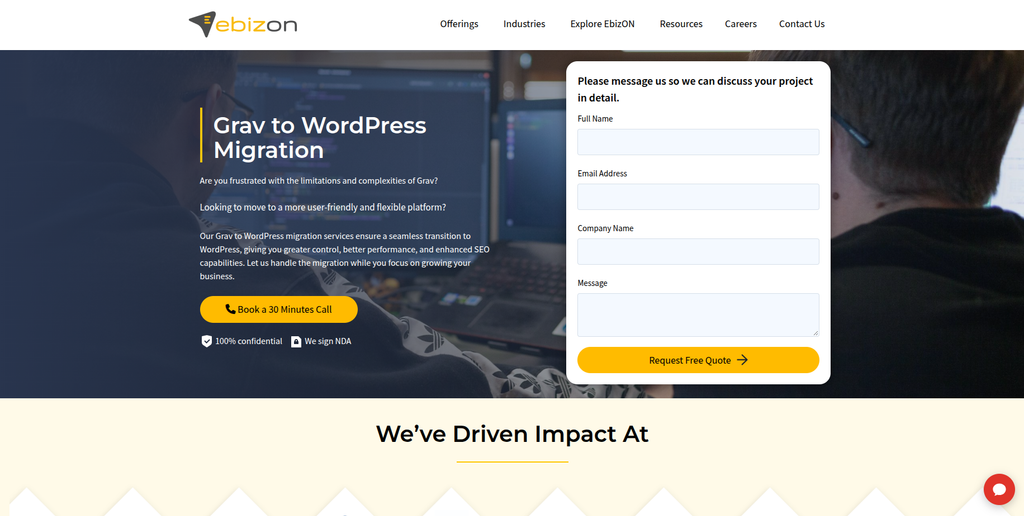
EbizON Digital is a strong choice for businesses that want more than basic content transfer. A Grav website may contain custom templates, integrations, unique layouts, forms, and SEO value that need to survive the move. EbizON Digital can be considered when migration needs to work together with WordPress development and redesign requirements. This makes it useful for businesses that want to improve the website instead of simply rebuilding every old page exactly as it was. It is especially relevant when the new WordPress website needs room for future growth.
- End-to-end migration: Suitable for moving content while rebuilding the website in WordPress.
- Custom development: Useful when Grav functionality needs to be recreated with WordPress plugins or custom code.
- SEO migration planning: Important URLs, metadata, internal links, and redirects can be included in the migration scope.
- WordPress development: Helpful when the project also involves design, templates, integrations, or new functionality.
- Best suited for: Businesses needing a complete Grav CMS to WordPress migration with custom development support.
A migration becomes more complex when the current Grav site contains custom functionality or many content types. Businesses dealing with those requirements can explore EbizON Digital’s professional Grav to WordPress migration service for complex business websites as part of their vendor evaluation.
2. CMSTOWP
Best for Structured Grav Content Migration to a WordPress CMS
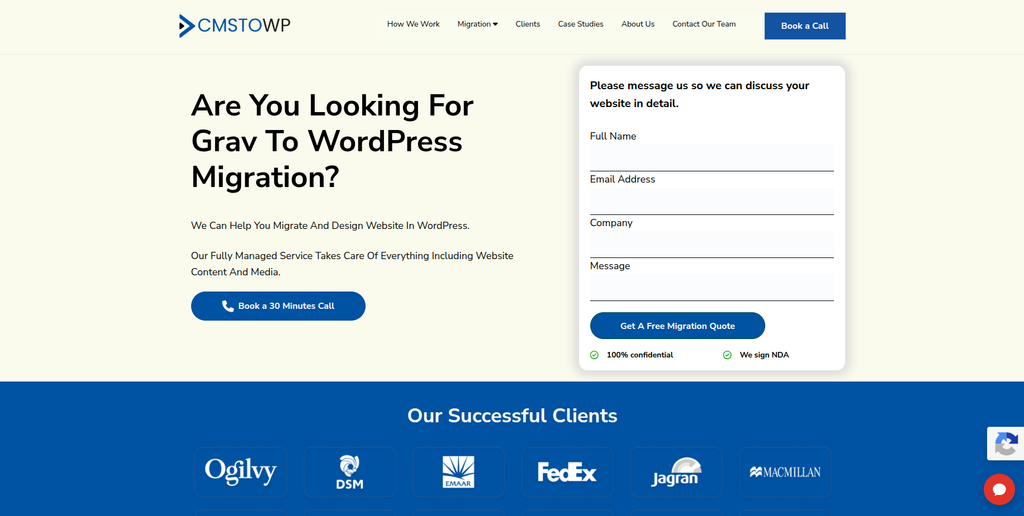
CMSTOWP is another relevant option when the main goal is moving an existing Grav website into WordPress in a structured way. The project should start by identifying pages, media, URLs, metadata, navigation, and custom elements that need to move. From there, each part can be mapped to an appropriate WordPress structure instead of treating migration as a simple copy-and-paste task. This approach is especially useful for content-heavy websites where missing a page or image can create problems after launch. Businesses should also agree on testing and redirect requirements before migration begins.
- Migration-focused process: Useful when CMS migration is the main goal of the project.
- Content transfer: Pages, text, images, and other important website assets should be mapped carefully.
- WordPress setup: The destination site can be structured around easier WordPress content management.
- SEO preservation: URLs, metadata, redirects, and important organic pages should be reviewed.
- Best suited for: Organizations looking for a structured Grav website to WordPress migration solution.
Before choosing a migration approach, it helps to create an inventory of everything inside the current Grav installation. Website owners who need help with that process can review CMSTOWP’s complete Grav CMS to WordPress migration solution for content-heavy websites.
3. Cali Creatives
Best for Grav Website Migration Projects That Also Need a Visual Redesign

Cali Creatives is worth evaluating when a Grav migration is also an opportunity to refresh the website’s design and user experience. Its public service information covers website design and development, responsive design, front-end and back-end development, and ecommerce work. That broader design focus may be useful for a business that does not want its new WordPress site to look exactly like the old Grav website. However, general website development should not be treated as proof of direct Grav migration experience. Ask for relevant WordPress and CMS migration examples before selecting the company.
- Website design: Useful when the new WordPress site also needs a visual refresh.
- Development capability: Front-end and back-end development can matter when rebuilding custom elements.
- Responsive experience: Important for recreating pages correctly across desktop, tablet, and mobile.
- Experience to verify: Ask specifically for Grav, WordPress, and CMS migration examples.
- Best suited for: Businesses combining Grav to WordPress migration with website redesign and UX improvements.
4. Veritas Digital Technologies
Best for Custom Web Development Around a Grav CMS Migration
Veritas Digital Technologies publicly offers software development, web development, website design, and testing services. Those capabilities can be useful when a Grav website contains more than standard content pages. A migration may require new layouts, custom functions, or a different technical setup once the site reaches WordPress. Its testing capability is also worth discussing because QA is an important part of any CMS move. Direct Grav migration experience should still be checked before including the company in a final shortlist.
- Web development: Relevant when the new WordPress website requires custom development.
- Website design: Useful if migration includes a refreshed visual experience.
- Software development: May help where the website connects with custom business functionality.
- Testing capability: Valuable for checking migrated pages and functionality before launch.
- Best suited for: Businesses evaluating custom web development support for a Grav CMS migration.
5. Coder Mehedi
Best for Developer-Led Grav to WordPress Migration Support
Coder Mehedi can be evaluated by businesses that prefer a smaller, developer-led approach to migration. With this type of project, direct communication can be useful because the developer needs to understand how the existing Grav site is structured before rebuilding it in WordPress. The public website available during our review did not provide enough evidence to verify specific Grav migration capabilities. Businesses should therefore request recent WordPress projects and direct CMS migration examples. Capacity for SEO, QA, custom functionality, and post-launch support should also be confirmed.
- Developer-led approach: May offer direct communication during technical discovery and development.
- WordPress capability to verify: Ask for recent WordPress websites with similar complexity.
- Migration experience to verify: Request examples of content or CMS migration projects.
- Support coverage: Confirm who will handle QA, SEO, redirects, hosting, and post-launch fixes.
- Best suited for: Smaller businesses considering a hands-on developer for Grav to WordPress migration work.
6. DevBob
Best for Grav Migration Projects Requiring Flexible Development Support
DevBob is another option from the requested shortlist that should be evaluated through technical discovery. The first step should be a review of the existing Grav website, including content structure, templates, plugins, URLs, forms, and custom functionality. Businesses should then ask how those elements would be mapped or rebuilt in WordPress. Public information available during our research was not strong enough to make specific claims about Grav migration expertise. For that reason, direct project examples and a detailed migration method should be requested before hiring.
- Technical discovery: The existing Grav setup should be reviewed before a final quote is prepared.
- Content mapping: Ask how Markdown pages and related data would be moved into WordPress.
- Custom development: Confirm how Grav-specific functionality would be recreated.
- Experience to verify: Request direct WordPress and CMS migration case studies.
- Best suited for: Businesses comparing flexible development support for a custom Grav migration project.
7. Safex Solutions
Best for Grav Migration Projects With Broader Web Development Needs
Safex Solutions publicly presents web development among its technology services. That makes it worth evaluating when a Grav migration is connected with wider development requirements rather than only content transfer. A business may need to rebuild pages, improve the interface, recreate custom functions, or change how users interact with the site after moving to WordPress. Still, its publicly visible information does not establish specific Grav migration expertise. Ask for WordPress examples, CMS migration projects, and a clear explanation of how Grav content would be handled.
- Web development: Relevant when migration also requires development work.
- UI/UX capability: Useful when the WordPress site needs an improved user experience.
- Custom technology: Worth discussing when the current website connects with other systems.
- Experience to verify: Confirm WordPress knowledge and direct CMS migration work.
- Best suited for: Companies seeking web development support alongside a Grav to WordPress CMS move.
8. Metamorfasis
Best for Businesses Comparing Custom Grav Website Migration Options
Metamorfasis should be assessed based on the actual technical requirements of your Grav website. Every Grav installation can be different, especially when themes, plugins, Markdown structures, and custom code have been changed over time. Before agreeing to a project, ask for an audit of the source website and a clear WordPress migration plan. Public information found during our research was not enough to verify specific Grav migration experience. Relevant WordPress work, content migration methods, QA, SEO, and support should therefore be reviewed carefully.
- Source-site audit: Ask for a technical review before migration begins.
- WordPress planning: Confirm how content types and templates will work on the destination site.
- SEO checks: Important URLs and metadata should be included in the project plan.
- Experience to verify: Request recent WordPress and CMS migration examples.
- Best suited for: Businesses doing careful due diligence before choosing a custom Grav website migration provider.
9. Bytelog Solutions
Best for Development-Heavy Grav Migration and Custom Web Requirements

Bytelog Solutions publicly offers web development and custom software solutions. Its process also describes requirement analysis, planning, development, implementation, testing, and deployment. Those steps line up well with the general needs of a complex website project. This could make the company worth investigating when a Grav migration includes custom development beyond standard WordPress pages. Its public site does not, however, prove specific Grav migration expertise, so that experience should be confirmed directly.
- Web development: Relevant for rebuilding a Grav website on a new technical foundation.
- Custom solutions: Useful when the existing site contains unique business functionality.
- Planning process: Requirement analysis can help identify migration risks before development.
- Testing and deployment: Important stages for checking the new WordPress site before launch.
- Best suited for: Businesses with development-heavy Grav to WordPress migration requirements.
10. Webteam4u
Best for WordPress-Focused Website Rebuilding and Content Restructuring
Webteam4u has clear public information about building websites with WordPress and Joomla. Its content also discusses website structure, mobile testing, launch checks, redirects, and basic SEO. That makes it relevant for businesses where moving from Grav also means reorganizing content and rebuilding the website in a more manageable CMS. Its public material shows WordPress experience, but direct Grav migration experience should still be confirmed. This option may be particularly interesting for smaller business websites where design, structure, and content management are major priorities.
- WordPress experience: Public information specifically identifies WordPress as one of its website platforms.
- Content structure: Useful when the old Grav website needs cleaner organization during the rebuild.
- Mobile testing: The development process includes checking websites on mobile and desktop.
- Launch considerations: Redirects and basic SEO are publicly discussed as part of website launch work.
- Best suited for: Smaller businesses planning a Grav to WordPress rebuild with better content structure.
What Should Be Migrated From Grav to WordPress?
Before migration starts, make a complete list of what exists on the Grav website.
Do not only count pages.
A typical project may include:
- Pages
- Blog posts
- Markdown content
- YAML frontmatter
- Images
- PDFs and downloads
- Categories
- Tags
- Metadata
- Menus
- Forms
- Users
- Redirects
- Custom templates
- Twig functionality
- Plugins
- Tracking codes
- Structured data
- Integrations
Grav’s official documentation explains that its content and configuration rely heavily on files, folders, Markdown, and YAML. This means a migration company should understand the source structure of a Grav website before mapping its content into WordPress.
WordPress also warns that importing from different publishing systems can require different procedures. Its official guide to importing content into WordPress from other publishing systems is useful for understanding why migration methods vary by source platform.
How to Protect SEO During Grav to WordPress Migration
SEO should be part of the migration plan from the start.
Do not wait until the WordPress website is already live.
Your old Grav site may have pages that rank on Google, backlinks pointing to specific URLs, and internal links that help search engines understand the website.
If the WordPress URL structure changes, create a URL map.
For every important old URL, decide where visitors and search engines should land on the new site.
Check:
- Existing URLs
- New WordPress URLs
- 301 redirects
- Meta titles
- Meta descriptions
- Heading structure
- Canonical tags
- Internal links
- Image alt text
- XML sitemap
- Robots settings
- Structured data
- Analytics
- Search Console
- High-value backlinks
Google provides detailed guidance for moving a website while changing its URLs. Its recommendations make planning, URL mapping, redirects, testing, and monitoring important parts of a site move.
Avoid sending every old page to the homepage.
Redirect an old page to the closest relevant new page whenever possible.
Grav Content Mapping Needs Extra Attention
One of the most important parts of Grav to WordPress Migration is deciding where the existing content should live.
A Grav Markdown page might become a WordPress page.
A collection of Grav articles may become WordPress posts.
YAML values may need to become custom fields, taxonomy data, template settings, or other structured WordPress information.
There is no universal rule because Grav websites can be customized differently.
Before migration, create a content mapping sheet with columns such as:
Old Grav Content | Current URL | Content Type | New WordPress Type | New URL | Redirect Needed | Notes
This simple sheet can become one of the most useful documents in the whole project.
Grav Themes Cannot Simply Become WordPress Themes
This is another area where businesses can underestimate the work.
Grav uses its own theme and templating approach, including Twig. WordPress themes follow a different architecture.
So if you love the current design, the team may need to rebuild the Grav design for WordPress rather than transfer the theme itself.
Use this opportunity to decide what should stay.
You may want to keep the same branding while improving:
- Navigation
- Mobile layouts
- Calls to action
- Forms
- Page hierarchy
- Accessibility
- Content readability
- Page speed
- Conversion paths
A migration does not need to become a full redesign, but rebuilding the website gives you a chance to fix problems that already exist.
Test the New WordPress Website Before Launch
Never treat “the pages imported successfully” as the end of migration.
Check the actual website.
Open important pages and compare them with the original Grav site.
Test:
- Desktop pages
- Mobile pages
- Navigation
- Forms
- Search
- Images
- Downloads
- Internal links
- Redirects
- Contact details
- Buttons
- Tracking
- Structured data
- Page titles
- Meta descriptions
- Canonicals
- Sitemap
- 404 pages
- Page speed
WordPress currently recommends hosting environments with modern PHP, MySQL or MariaDB, and HTTPS support. Review the official WordPress hosting requirements when preparing the destination environment.
Do not launch until the important paths have been tested.
How to Choose the Best Grav to WordPress Migration Company
Choosing the right company is easier when every provider answers the same questions.
Ask About Direct Grav Experience
Do not ask only, “Do you build WordPress websites?”
Ask:
Have you migrated a Grav CMS website to WordPress before?
If yes, ask what was migrated.
Did the project include Markdown pages, YAML fields, images, custom templates, URLs, forms, plugins, and SEO data?
Ask How They Will Extract Grav Content
A company should understand that Grav is file-based.
Ask how it will read and map your existing content.
A vague answer such as “we will use an importer” is not enough unless the team can explain exactly what the importer handles.
Ask About Custom Functionality
Make a list of everything your current website does.
For each feature, ask whether it will be:
- Rebuilt
- Replaced by a WordPress plugin
- Replaced by custom code
- Removed
- Improved
This prevents surprises halfway through development.
Ask for an SEO Migration Plan
The company should be able to explain:
- How old URLs will be recorded
- How new URLs will be created
- How redirects will be implemented
- How metadata will be transferred
- How broken links will be checked
- How the site will be monitored after launch
SEO migration is not simply installing an SEO plugin.
Ask About Post-Launch Support
Problems sometimes appear only after real visitors begin using the website.
Find out how long migration-related support is included after launch.
Ask who will fix:
- Broken pages
- Missing images
- Redirect problems
- Form errors
- Plugin conflicts
- Mobile issues
- Tracking errors
Put this support period in the project scope.
Grav to WordPress Migration Checklist
Before signing off on your migration, confirm that your team has covered:
- Full Grav website backup
- Content inventory
- Markdown content review
- YAML data review
- Media inventory
- Plugin inventory
- Theme and Twig template review
- Custom functionality list
- URL inventory
- WordPress content mapping
- WordPress theme setup
- Plugin selection
- Content migration
- Media migration
- Metadata migration
- Redirect mapping
- Internal link updates
- Forms testing
- Mobile testing
- SEO checks
- Analytics checks
- Search Console checks
- Final crawl
- Launch plan
- Post-launch monitoring
A checklist sounds simple, but it stops small tasks from disappearing during a large migration.
Which Grav to WordPress Migration Company Should You Choose?
The right choice depends on the website.
For a business that wants migration combined with broader WordPress development, EbizON Digital is worth considering.
For a migration-focused project where structured content transfer is the main requirement, CMSTOWP is another relevant option.
Cali Creatives may make sense when design is a major part of the project. Webteam4u publicly demonstrates WordPress website experience and may suit smaller website rebuilds. Bytelog Solutions and the other development-focused companies can be evaluated when custom development is important.
For every provider, ask for evidence.
A good sales page is useful.
A clear migration plan is better.
Relevant migration examples are better still.
FAQs
1. What is Grav to WordPress Migration?
Grav to WordPress Migration is the process of moving a website from Grav CMS to WordPress. It may include pages, blog content, images, metadata, URLs, menus, forms, taxonomies, custom functionality, and SEO settings. Because Grav and WordPress organize content differently, the project often needs content mapping rather than a simple database transfer.
2. Can a Grav website be migrated to WordPress?
Yes. A Grav website can be moved to WordPress, but the method depends on how the Grav site was built. Standard Markdown pages may be easier to map, while custom themes, YAML data, Twig templates, plugins, and special functions can require additional development.
3. Why move from Grav to WordPress?
Businesses often consider WordPress when they want easier content editing, more plugins, more marketing integrations, flexible page building, and access to a large WordPress ecosystem. However, migration should be based on your business needs rather than platform popularity alone.
4. Can Grav Markdown content be moved to WordPress?
Yes, but the content needs to be mapped into the correct WordPress structure. A Grav page may become a WordPress page or post, while YAML frontmatter may need to become metadata, custom fields, taxonomies, or template settings. The exact approach depends on the original website.
5. Can I keep my current Grav website design?
You can recreate a similar design, but a Grav theme cannot normally be copied directly into WordPress because the platforms use different theme architectures. The design generally needs to be rebuilt as a WordPress theme or with an appropriate WordPress page-building setup.
6. Will Grav to WordPress migration affect SEO?
It can if the migration is poorly planned. Changing URLs, losing metadata, breaking internal links, or removing important content can affect search visibility. A good migration should include URL mapping, 301 redirects, metadata checks, internal-link updates, sitemap checks, and post-launch monitoring.
7. How long does Grav to WordPress migration take?
The timeline depends on website size and complexity. A simple informational website may be much easier than a large Grav site with custom themes, plugins, forms, integrations, hundreds of pages, and complex content structures. The website should be audited before a reliable timeline is given.
8. What happens to Grav plugins during migration?
Grav plugins do not simply become WordPress plugins. The migration team should identify what each Grav plugin does and decide whether a WordPress plugin can replace it. If there is no suitable replacement, custom WordPress development may be needed.
9. Should old Grav URLs be kept?
Keeping the same URLs where practical can reduce migration complexity. When URLs need to change, old important URLs should normally be mapped to their closest relevant new destinations using appropriate redirects. The migration team should test those redirects before and after launch.
10. What should I ask a Grav to WordPress migration company before hiring?
Ask about direct Grav experience, WordPress expertise, content mapping, Markdown and YAML handling, custom functionality, SEO preservation, redirects, testing, backups, launch planning, and post-launch support. Also request examples of migrations with similar complexity to your website.
Conclusion
Moving from Grav to WordPress can give your business a CMS that is easier for content teams to manage and expand.
But the migration needs careful planning.
Grav is file-based. WordPress uses a different content architecture. That means pages, Markdown content, YAML data, media, themes, plugins, URLs, SEO settings, and custom functionality all need to be reviewed before anything moves.
Do not choose a migration company based only on price.
Choose a partner that can explain what happens to your content, design, URLs, SEO value, and custom functionality before the project begins.
For businesses looking for an end-to-end migration combined with WordPress development, EbizON Digital is a strong place to start. For businesses looking for a migration-focused alternative, CMSTOWP is also worth evaluating.
The goal is not simply to leave Grav.
The goal is to arrive on WordPress with a website that works properly, keeps its important search value, and is easier for your team to grow.